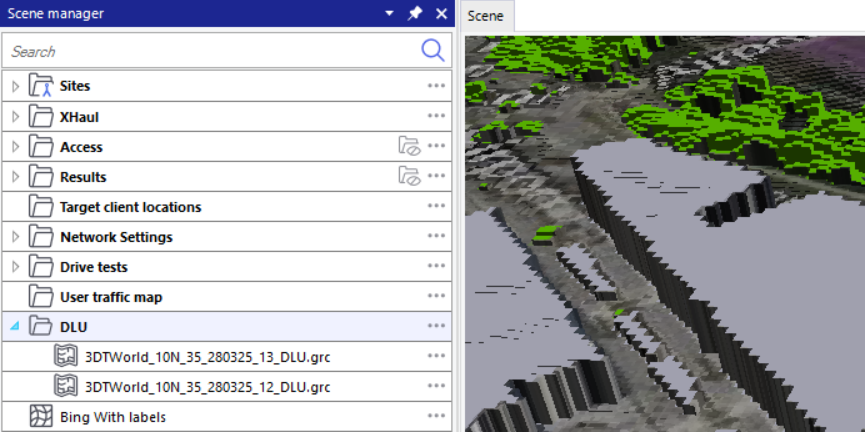
These steps are particularly relevant if your results are hidden beneath the Map data layers in your 'Scene'.
The higher the layer is in the 'Scene manager', the higher its viewing preference will be. Hence, keeping your DLU layers visible and above the 'Results' folder can mask the results in the 'Scene'.
Therefore, it is recommended to either keep the DLU layers hidden or move them under the 'Results' folder in the 'Scene manager'.
First, move all your DLU layers into a single folder, following the steps outlined on this page. Then you can move the folder by dragging and dropping it below the 'Results' folder, as shown in the image below.
.png?cb=525f8451348615d2ff42e52044bcc291)
Your 'DLU' folder has been moved successfully.